
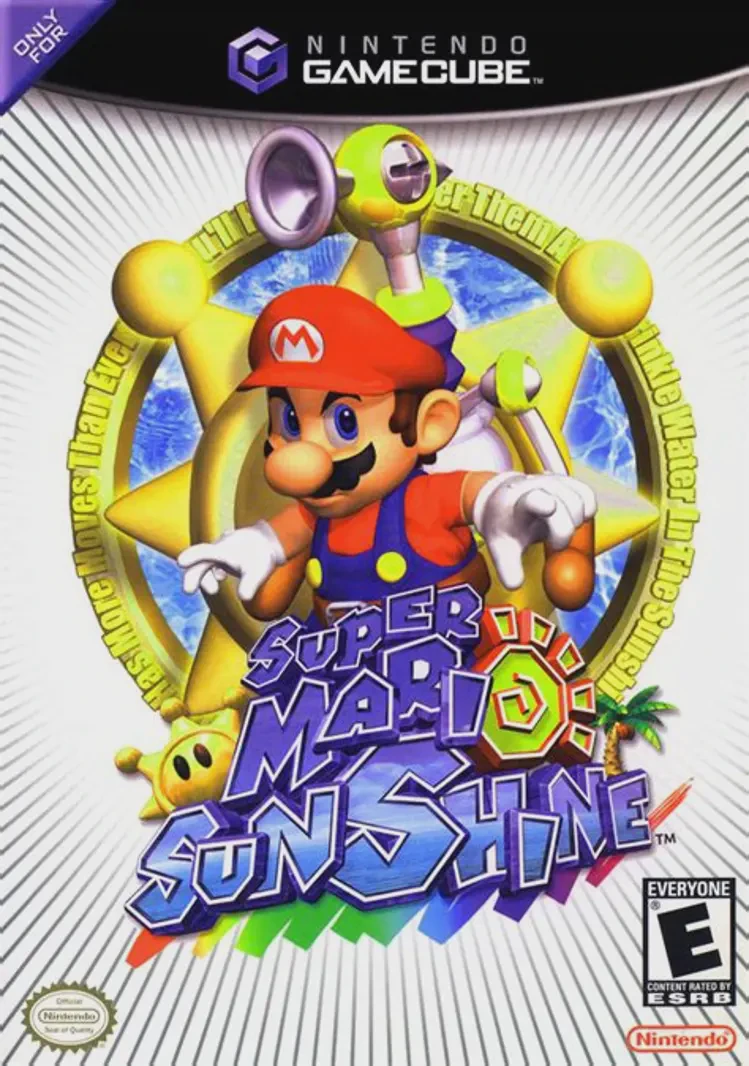
Super Mario Sunshine
Game Description
Game Overview
Super Mario Sunshine took the ground-breaking 3D platforming foundation established by Super Mario 64 and introduced unique water-based movement mechanics. Upon arriving at Isle Delfino for a peaceful vacation, Mario finds the island covered in toxic graffiti painted by a shadowy doppelgänger known as Shadow Mario.
The central gameplay mechanic revolves around F.L.U.D.D., a multipurpose water backpack that transforms how Mario navigates environments. F.L.U.D.D. serves as both a cleaning device and a propulsion system. Using the default Hover Nozzle, players can hover mid-air to correct landing trajectories, while unlockable attachments like the Rocket Nozzle and Turbo Nozzle provide massive vertical height and extreme land and water speeds.
The game is famed for its tropical aesthetic, bright seaside lighting, dynamic water physics, and demanding platforming challenges. Interspersed throughout the open hub of Delfino Plaza are void-like "Secret" levels where F.L.U.D.D. is temporarily confiscated, testing players' pure acrobatic platforming skills. Super Mario Sunshine remains a vibrant, challenging, and essential highlight of the GameCube library.
Quick Specifications
Title: Super Mario Sunshine
Platform: Nintendo GameCube
Developer: Nintendo EAD
Publisher: Nintendo
Release Date: July 19, 2002 (JP) / August 26, 2002 (NA) / October 4, 2002 (EU)
Genre: 3D Platformer
Mode: Single-player
Media / Format: GameCube Optical Disc (ISO / GCM)
Region Code: NTSC-J, NTSC-U/C, PAL
Key Features
F.L.U.D.D. Water Mechanics: Spray away pollution, hover across dangerous gaps, launch into the sky with the Rocket Nozzle, or sprint at top speeds with the Turbo Nozzle.
Tropical Isle Delfino World: Explore connected resort locations including Gelato Beach, Pinna Park, Ricco Harbor, and Sirena Beach.
Yoshi Riding: Feed and hatch Yoshi eggs to unleash juice-spraying abilities, reveal hidden platforms, and melt specific obstacles.
Pure Acrobatics "Secret" Levels: Tackle challenging retro-style platforming obstacle courses where Mario must rely purely on jumps, wall-kicks, and flips without F.L.U.D.D.
Shine Sprite Collection: Collect 120 Shine Sprites scattered across story episodes, blue coin exchanges, secret areas, and red coin challenges.
Frequently Asked Questions (Q&A)
Q: How big is the ISO file size for Super Mario Sunshine on GameCube?
A: A standard, uncompressed Nintendo GameCube disc image (ISO/GCM format) for Super Mario Sunshine is approximately 1.35 GB.
Q: What is the best emulator to run Super Mario Sunshine on PC or mobile?
A: The Dolphin Emulator is the standard choice for playing Super Mario Sunshine. It offers support for 4K resolutions, high-definition texture packs, 60 FPS hacks, and custom controller setups on Windows, macOS, Linux, and Android.
Q: How do analog pressure controls work for F.L.U.D.D. on emulators?
A: The original GameCube controller had analog triggers (L/R) with a hard click at the bottom: light pressure allowed Mario to run while spraying water, while a full press locked Mario in place for precise 360-degree aiming. On modern controllers, you can map analog trigger thresholds in Dolphin or set a dedicated modifier button for the full-press click.
Q: Can I run this game ISO on a modded Wii or Wii U console?
A: Yes. You can load and play the GameCube ISO directly on a modded Wii or Wii U (via vWii mode) using homebrew game loaders like Nintendont, using original GameCube controllers, Wii Classic Controllers, or modern gamepad adapters.
Download Resources
Click the links below to go to the cloud drive download page
⚠️ Download Tips:
- Use extraction software (e.g., 7-Zip, WinRAR) to extract the downloaded files
- Put the extracted ISO or CSO files into the ISO folder of your PSP memory card
- Make sure your PSP has custom firmware (CFW) installed